Create your account
Sign up with an email and password, or connect a Sui wallet.
There are two ways to sign up. Both give you a working MailGate inbox.
Option A — Email and password (custodial)
The familiar path. Enter an email address and a password and you're in.
With this option your account keys are managed for you inside the secure enclave (this is called a custodial account). You don't have to manage a wallet or a seed phrase. It works exactly like signing up for any web app.
Best if: you just want email and don't want to think about wallets.
Option B — Connect a Sui wallet (self-custody)
If you have a Sui wallet, you can connect it instead. Your account is then self-custody: the wallet you control is the owner of the account.
Best if: you already use a Sui wallet and want to hold the keys to your account yourself from day one.
Your wallet must be set to the Sui Testnet network. MailGate runs on Sui Testnet. If your wallet is pointing to Mainnet or Devnet, the connection will fail or you'll be signing transactions on the wrong network. Switch your wallet network to Testnet before connecting.
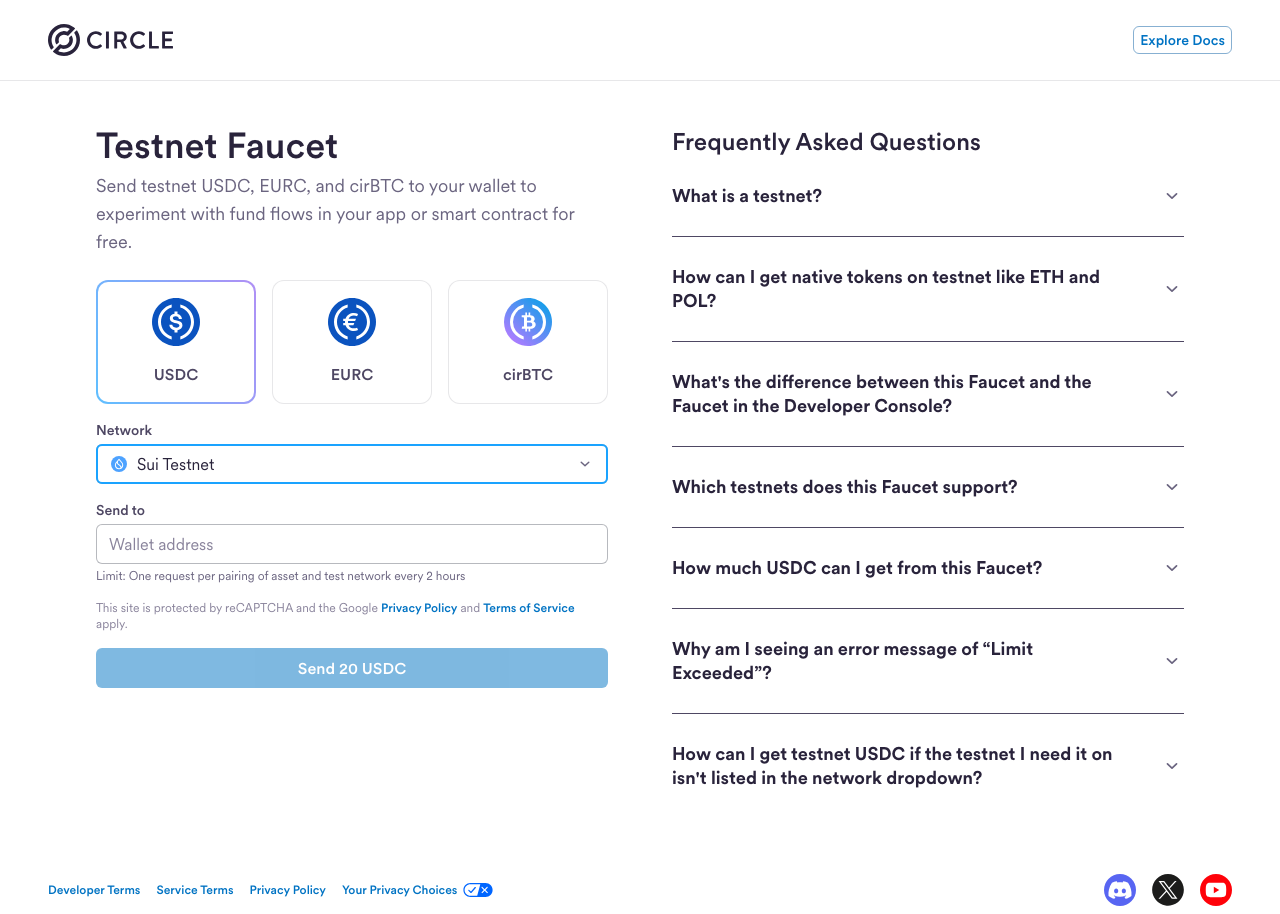
You also need testnet USDC for wallet-based MailGate actions. After switching your Sui wallet to Testnet, open Circle's Testnet Faucet, choose USDC and Sui Testnet, paste your wallet address, and request test USDC.
You can't upgrade from custodial to self-custody yet. If you sign up with email/password, you'll stay custodial for now — the in-app upgrade flow isn't built. If you want self-custody, sign up with a wallet from the start.
Email/password and Sui wallet are currently the only sign-up methods. There is no "Sign in with Google" option.
What happens right after sign-up
Creating your account does a bit of one-time setup behind the scenes — it has to be registered on-chain, mirrored, and bound to your encryption identity.
Your first inbox load can take around 30 seconds. This is normal one-time provisioning, not a bug. The very first email you receive can also take ~30 seconds end-to-end. After that, everything is fast.
You may also need to refresh the page once after sign-up before the inbox fully populates the first time.
Next step
How is this guide?
Last updated on