Receiving & decrypting
What happens when mail arrives, and why only you can read it.
When someone emails your MailGate address, the message is encrypted to you specifically before it's ever stored. When you open it in the app, it's decrypted for you automatically. You don't manage keys or click "decrypt" — it just reads like normal email.
Why only you can read it
MailGate uses a scheme where your email address itself is the encryption identity. Anyone can encrypt a message to you@dev.mailgate.sh without any key exchange, but only your account through the attested secure enclave that can decrypt it.
The practical guarantees:
- The company running MailGate cannot read your mail.
- Someone who steals the storage database gets only ciphertext.
- There's no master key at any single party that unlocks everyone's inbox.
This is the Seal encryption system combined with a hardware enclave whose code is verified on-chain. You can find the plain-language version in What is MailGate ?.
Subjects and search
Subject lines and headers are also encrypted. Search still works, but it's a privacy-preserving subject search, not full-text:
- Searching by words in the subject works.
- Full body text search is not available, by design — bodies stay encrypted.
The first email is slow — that's expected
Your very first inbound email after sign-up can take ~30 seconds to arrive. Account creation has to be confirmed on-chain and your encryption identity has to be bound before the first message can be delivered. This is a one-time warm-up. Later mail arrives promptly.
Self-custody accounts: the wallet sign prompt
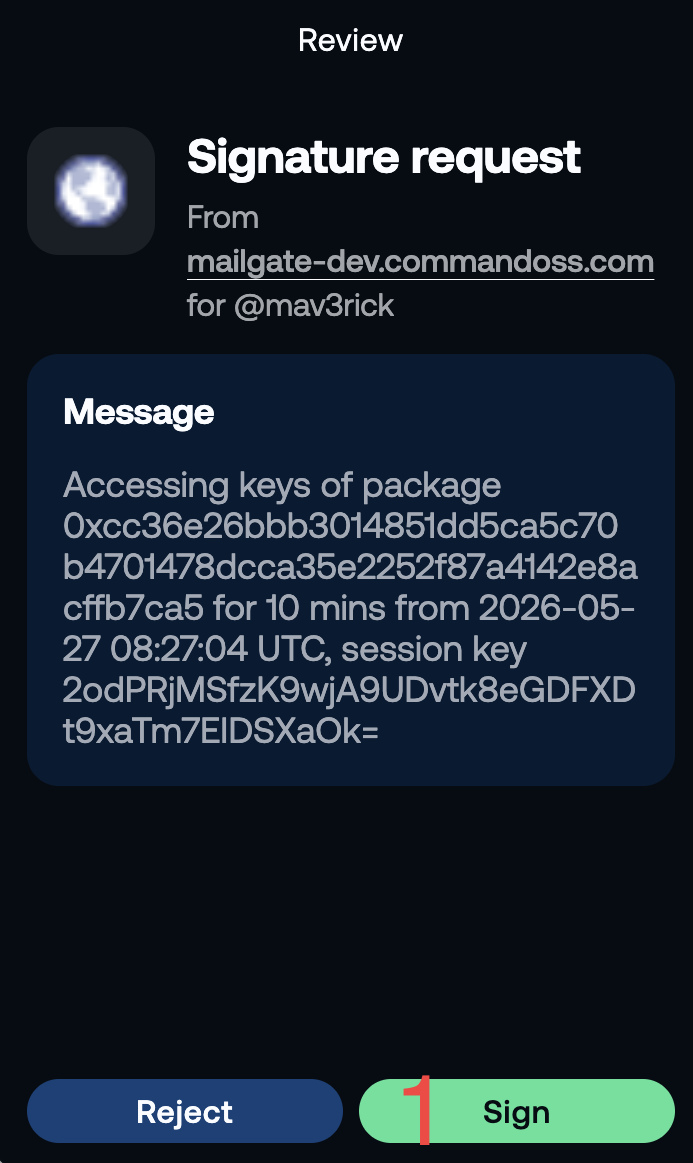
If you signed up with a Sui wallet (self-custody), your wallet will ask you to sign a short message the first time you load the inbox. This is expected — here's why.
With custodial accounts the enclave holds your decryption key and handles everything silently. With a self-custody wallet, you hold the key and the enclave never sees it. To unlock your mail, the Seal key servers need proof that the current browser session belongs to your wallet. You provide that proof by signing a brief intent message.
This is not a transaction. Nothing is written on-chain, no gas is spent, and no funds move. It's a plain cryptographic signature — the same kind your wallet uses to prove ownership of an address.
The signed session is valid for 10 minutes. After that, a fresh signature is requested. While your tab stays open and the session is live, opening and reading messages is silent — the prompt only reappears when the session expires or on your first load of the day.
What the prompt looks like: your wallet extension (e.g. Sui Wallet, Slipstream) pops up with a message like MailGate Session Key – …. Approve it to continue.
| Situation | What happens |
|---|---|
| First page load | Wallet prompts once |
| Refresh within the 10-minute window | No prompt — session is reused |
| Session expires (10 min of inactivity) | Wallet prompts again |
| Log out and back in | Wallet prompts once on next load |
When something looks wrong
- A message showing scrambled / ciphertext text instead of readable content is not normal — see Decryption failures.
- A toll-gated message can sit in a pending state for a few seconds while payment confirms — that's normal.
Folders and actions
You get the usual: Inbox, Archive, Trash, Spam. You can mark read/unread, star, archive, restore, hard-delete, empty trash, and view messages as threaded conversations.
Next step
How is this guide?
Last updated on